Using Onedrive to backup your folders
30 July 2026
OneDrive makes it easy to automatically backup your Desktop, Documents and Pictures.
This gives two main benefits:
- Makes moving computers or recovering data after a hardware failure very easy.
- Allows you to access your files online from anywhere, including a web browser
To configure this service, open the Onedrive client settings:
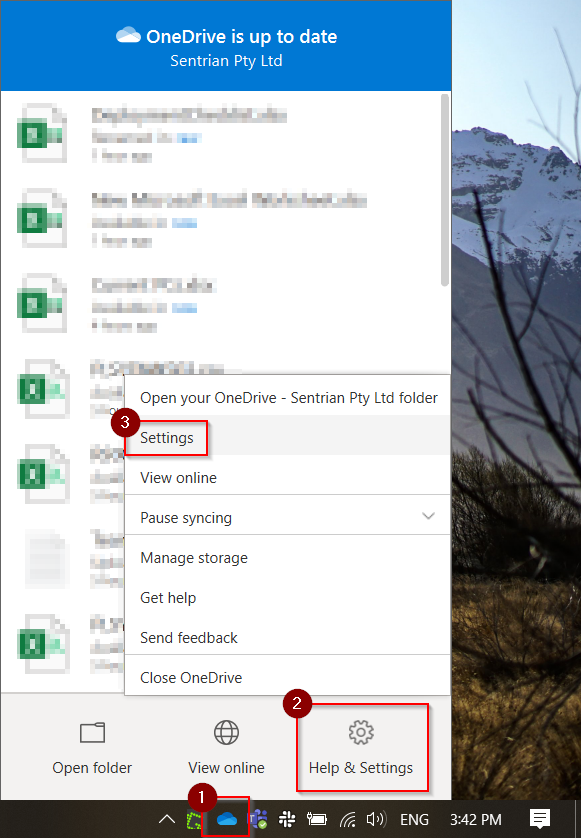
- Click the Onedrive icon in the taskbar (bottom right of your screen)
- Click 'Help and Settings'
- Click 'Settings'
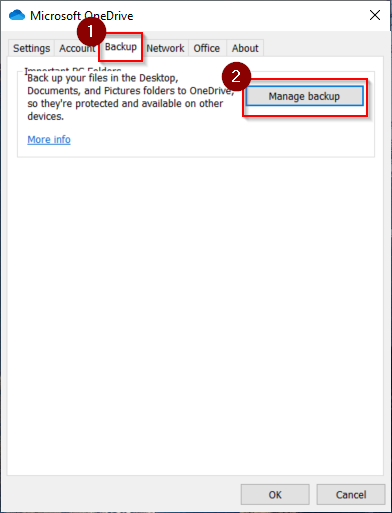
- Click the Backup tab, then click Manage Backup
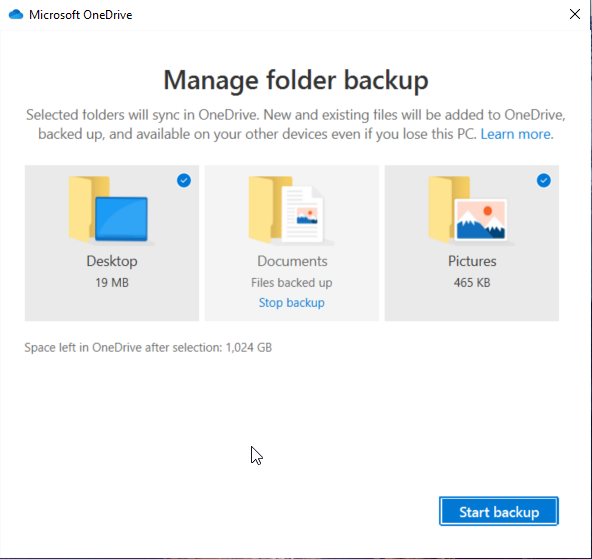
- Select the folders you wish to store in Onedrive and then simply click 'start backup'