
Remove signatures from your mobile
30 July 2026
How to remove your signature from your mobile device
This is a short guide aimed users who are moving to a cloud signature management tool like Exclaimer.
Remove your signature from the Outlook app
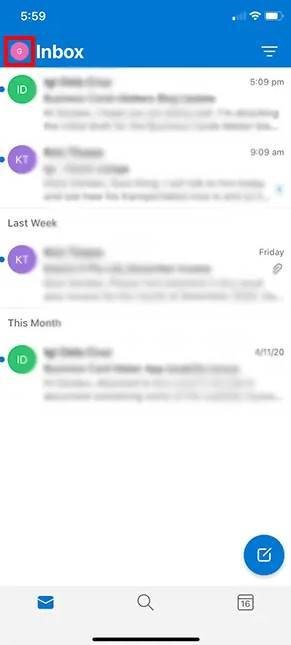
1: In the Outlook app, tap on the icon in the top left
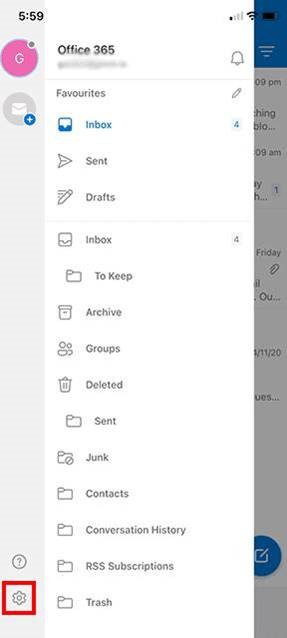
2: Tap the settings cog
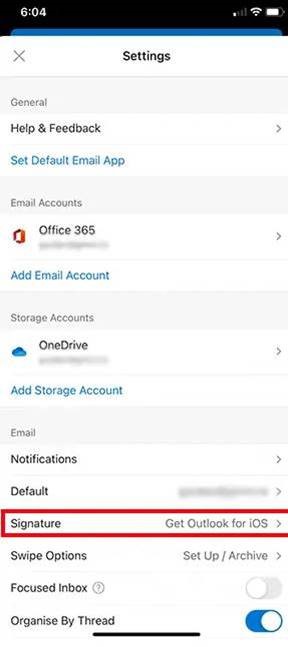
3: Tap on the "Signature" field and remove all text.
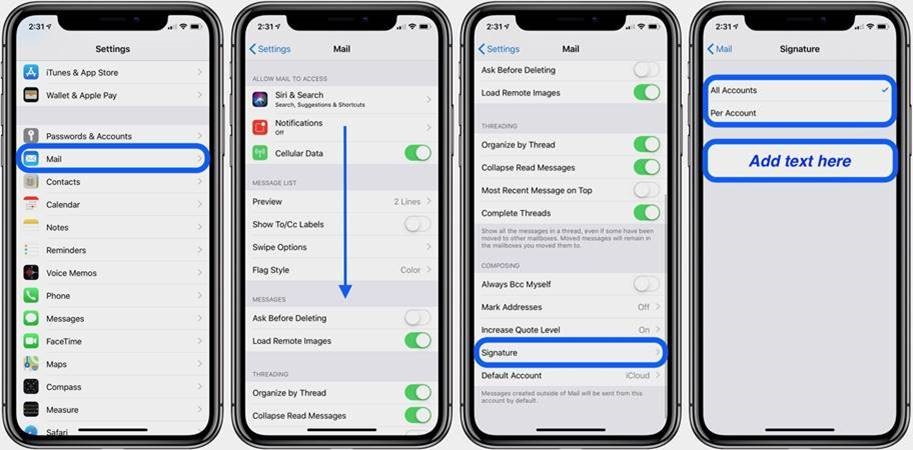
Remove Signature from Apple Mail
- Open settings
- Select mail
- Select "Signature"
- Remove all text present
If you have any issues with the above instructions, please contact Sentrian support